How to Charge iPhone Without Charger? Try These 5 Charging Methods
When your iPhone battery drains completely, the usual solution is to charge it with a charger until it's fully powered. But what if your charger is broken or you simply don't have one at hand? A dead iPhone is essentially a useless device, leaving you unable to do anything with it. That can definitely be frustrating, right? Luckily, it's not the end of the road. There are actually several ways to charge your iPhone without a charger.
In this article, we'll introduce five practical and effective methods for charging your iPhone without the need for a charger. You can pick the one or more that work best for your situation.
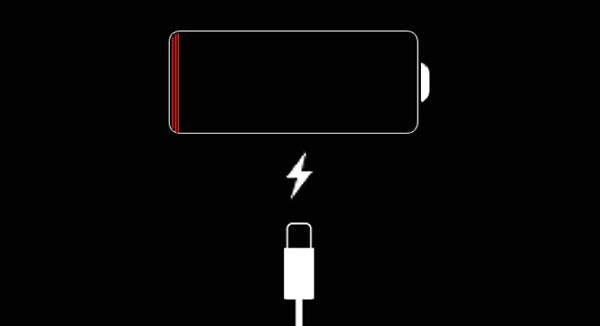
Part 1: How to Charge iPhone without Charger?
Method 1: Use a Backup Power Source
In our daily lives, there are several alternative power sources that can help charge an iPhone when its battery is low or completely drained. In this article, we will focus on four common options: portable power banks, camping chargers, solar chargers, and hand crank generators. These solutions are widely available and can serve as temporary fixes in emergency situations.
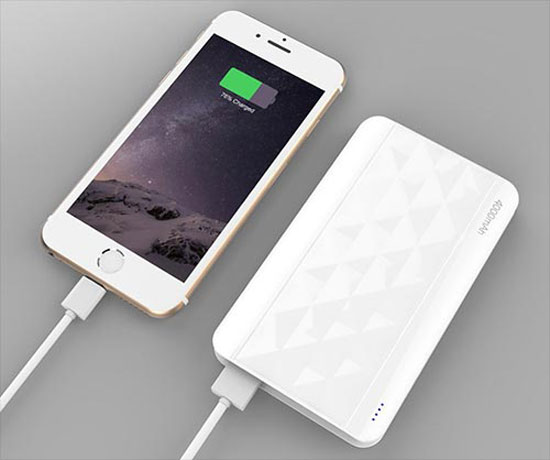
1. Portable Power Bank
You're probably familiar with portable power banks, as they are the most popular alternative charging solution. They are easily available in the market. However, make sure to choose the right model to ensure compatibility with your iPhone's charging cable. Once you have the correct power bank, simply connect your iPhone using a USB cable and turn on the power bank. It will charge your phone continuously until its battery runs out. And remember, after using it, always recharge the power bank so it's ready to power your iPhone the next time you need it. (How to Show Battery Percentage on iPhone?)
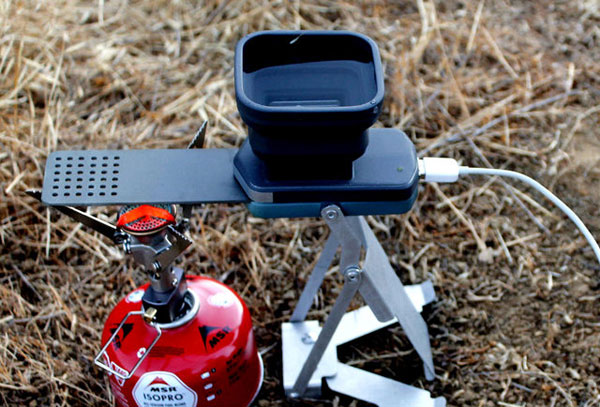
2. Camping Charger
Another option is to use a camping charger. If you're out in the field hiking, camping, or enjoying a picnic and your iPhone battery runs out, your first instinct might be to reach for a power bank. But what if you don't have one, or if your power bank runs out of charge too? In that case, a camping charger could come to the rescue. These chargers work by capturing heat from camping stoves and converting it into energy. Pretty cool, right? It's definitely worth trying out the next time you're outdoors.
Read More:
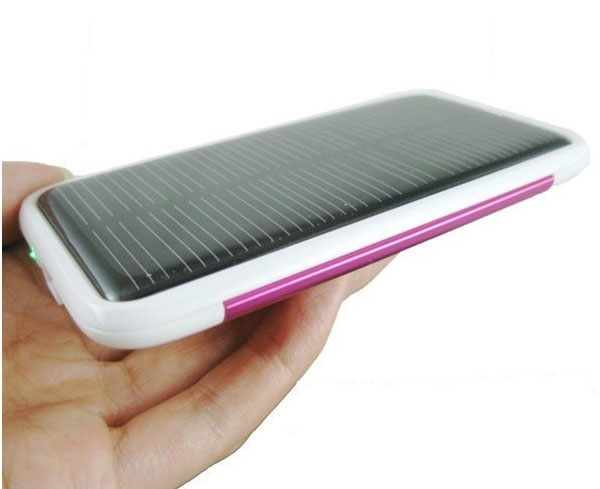
3. Solar Charger
Solar energy has gained popularity in recent years due to its clean and convenient nature. That's why a solar charger is a great option to consider. These chargers harness the sun's direct rays as their power source. All you need to do is place the charger outside during the day, and when your iPhone's battery runs out, simply connect the solar charger to your phone, and it will start charging. This method is both eco-friendly and efficient, making it definitely worth trying!
4. Hand Crank Machine
The final alternative power source is a hand crank generator. This method is more labor-intensive and less convenient than the previous three, as it requires you to manually crank the machine to generate power. Here's how it works: first, connect the generator to your iPhone using a USB cable, then turn the crank to generate energy. The process usually takes around 3-4 hours to fully charge your phone. So, it's best to resort to this method only when you have no other options available.

Read More:
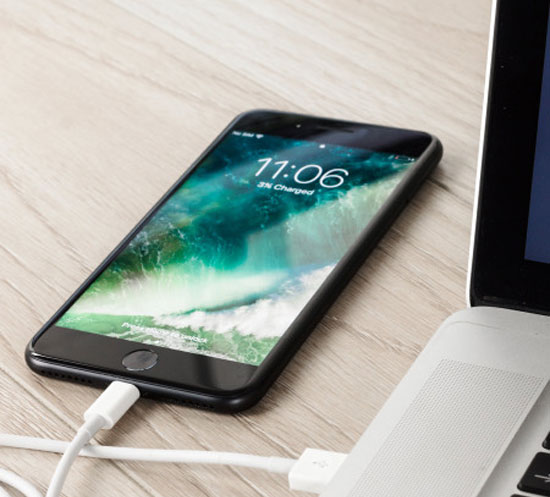
Method 2: Use USB Cable and Computer
Charging your phone via a laptop or desktop computer is a common and easy method. To use this approach, all you need is a USB cable. Simply plug the cable into your iPhone and connect it to the computer, and your device will start charging. It's a straightforward process, but keep in mind that you'll need access to a computer to use this method, as it relies on the computer as the power source.
Method 3: Use a Car Charger
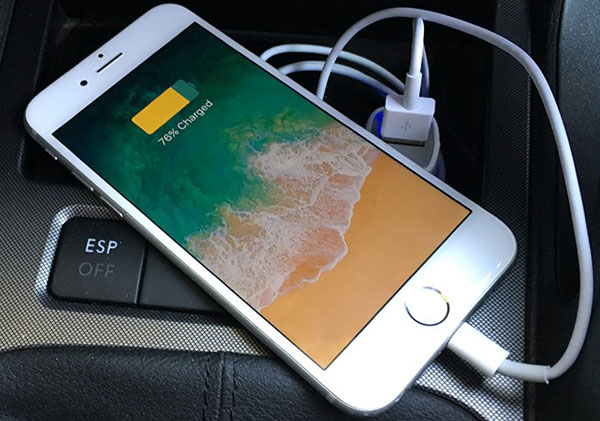
What if your iPhone dies during a long road trip or while traveling? If you can't find a way to charge your phone, the journey could become not only boring but also risky, as you'd be unable to contact anyone. But don't worry! There's a simple solution: you can use the car charger in your vehicle. To charge your phone with a car charger, just plug your phone into the charger using a USB cable, and it will start charging. The charging speed may be slower, but it works and won't delay your trip.
Method 4: Use Wireless Charging
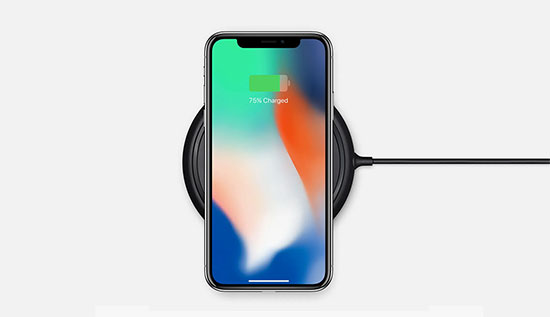
If you have an iPhone model that supports wireless charging (iPhone 8 and newer), this is a simple and convenient way to charge without a traditional cable. All you need is a wireless charging pad. Just place your iPhone on the charging pad, and it will start charging automatically. This method is hassle-free and eliminates the need for plugging in cables, making it a great option when you're looking for convenience. However, keep in mind that wireless charging may take a bit longer than wired charging.
Method 5: Use Another Mobile Phone
If you're in a pinch and have another phone available, you can charge your iPhone using reverse charging. Some Android phones, particularly newer models, support reverse charging, which allows them to act as a power source for other devices. To use this method, simply connect your iPhone to the other phone via a USB cable, and enable reverse charging on the donor phone (if necessary). Your iPhone will start charging, although the process may be slower than usual. This method can be a lifesaver if you're traveling with a friend or family member who has a compatible phone.
Part 2: Back up iPhone Data While Charging Issues Persist
When your iPhone is facing charging issues or can't be powered up, it's crucial to back up your important data to prevent any loss. Fortunately, even if your iPhone isn't charging or turning on, you can still protect your data. MobiKin Assistant for iOS is a reliable tool that allows you to manage and back up your iPhone data efficiently, even under challenging circumstances.
Key Features of MobiKin Assistant for iOS:
- Easily back up contacts, messages, photos, videos, and more without the need for iTunes.
- Transfer files between iPhone and computer seamlessly, even when your device has charging problems.
- Organize and manage iPhone files by editing and deleting.
- Works with all iOS devices including iPhone 17/16/15/14/13/12/11/X/8/7/6, iPad 11/10/9/8/Pro/Air/mini, etc.


Steps to Back Up Your iPhone Data Using Assistant for iOS:
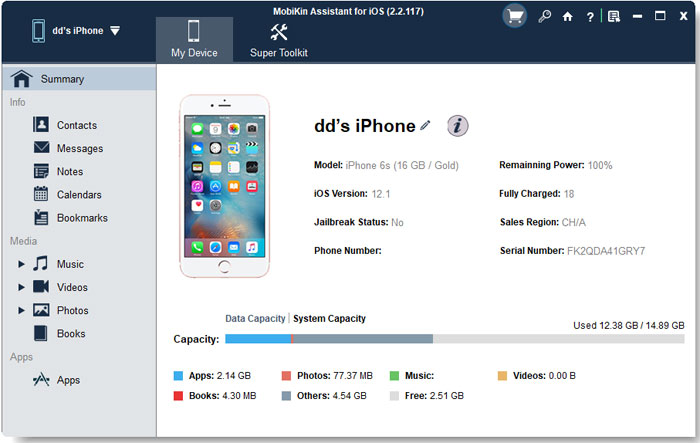
Step 1: Download and install the software on your computer. Use a USB cable to connect your iPhone to the computer. Open the software and let it detect your device.
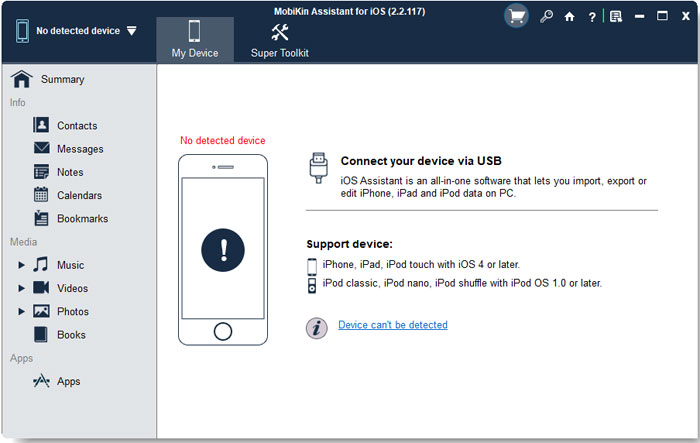
Step 2: Go to the left side of the program interface and you can select the types of data (contacts, messages, photos, etc.) you want to back up.
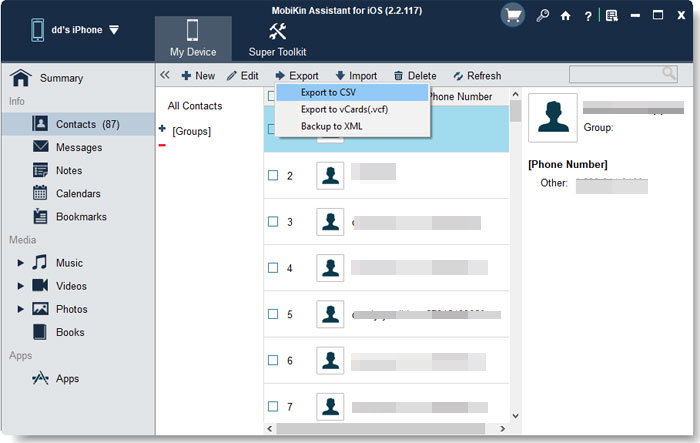
Step 3: Select the data you want to back up, click the "Export" button on the top menu and wait for the software to create a copy of your selected data on the computer.
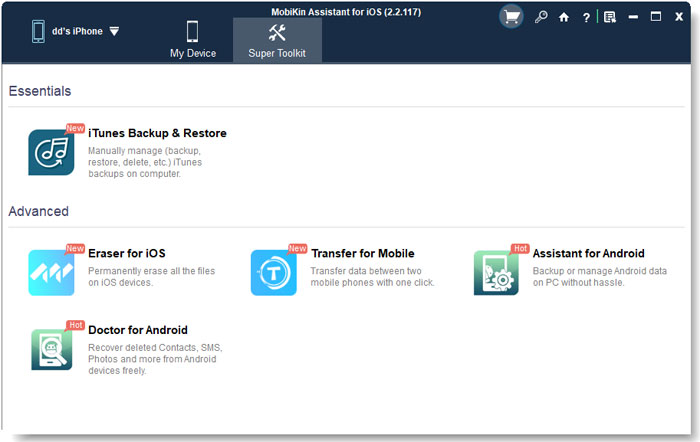
Tips: You can also click "Super Toolkit" > "iTunes Backup & Restore" > "Backup" in the top menu bar to back up all the data on your device to the computer with one click.
Video Guide:
The Bottom Line:
In conclusion, running out of battery without a charger can be frustrating, but there are still several practical ways to power up your iPhone, such as using a computer, power bank, car charger, or even alternative energy sources like solar chargers. More importantly, when charging issues persist, protecting your data should be a top priority. By using a reliable tool like MobiKin Assistant for iOS, you can easily back up and manage your important files in advance, ensuring that your data remains safe even if your device becomes unusable.
Finally, if you find this article meaningful, please share it on social media to help more folks.
Related Articles:
7 Ways to Fix iPhone Keeps Turning on and off Randomly
iPhone Update Stuck? Here's The 7 Useful Fixes